Owner

The per-user price advertised for a VoIP phone system almost never matches the real monthly bill for small businesses. Relying on that sticker price alone can lead to unexpected costs and budgeting headaches.
If you’re considering a VoIP phone system for small business operations, the price per user on the provider’s website probably caught your eye. It looks simple: multiply that number by your team size, and you have your monthly cost. But what you see up front rarely matches what you pay in the end.
Many business owners expect a straightforward bill, only to find extra charges and fees they didn’t plan for. The difference between the advertised price and the real monthly cost can be confusing and frustrating.
A VoIP phone system offers flexibility, advanced features, and can help your business communicate more efficiently. However, understanding what you’re actually paying for is key to keeping your budget on track.

VoIP pricing often looks clear at first, but there’s more beneath the surface. The advertised per-user rate is usually just the starting point. Providers may not include all the necessary features or services in that base price.
For example, some plans leave out essentials like call recording, voicemail-to-email, or even customer support. When you add these on, your monthly bill grows. Installation fees, equipment costs, and taxes can also appear after you sign up.
Because of these extra layers, your final cost can be much higher than what you expected. This can make it hard to predict your monthly expenses and manage your cash flow.
Most small business VoIP systems offer a menu of features. The basic plan might cover calling and voicemail, but advanced options—like call analytics or integration with your CRM—often cost more.
If your business grows or your needs change, you may need to upgrade your plan or add more users. Each upgrade comes with its own price tag. Even small changes, like adding a toll-free number or international calling, can increase your bill.
These add-ons are not always obvious when you first compare providers. That’s why it’s important to look beyond the headline price and check what’s included—and what isn’t.

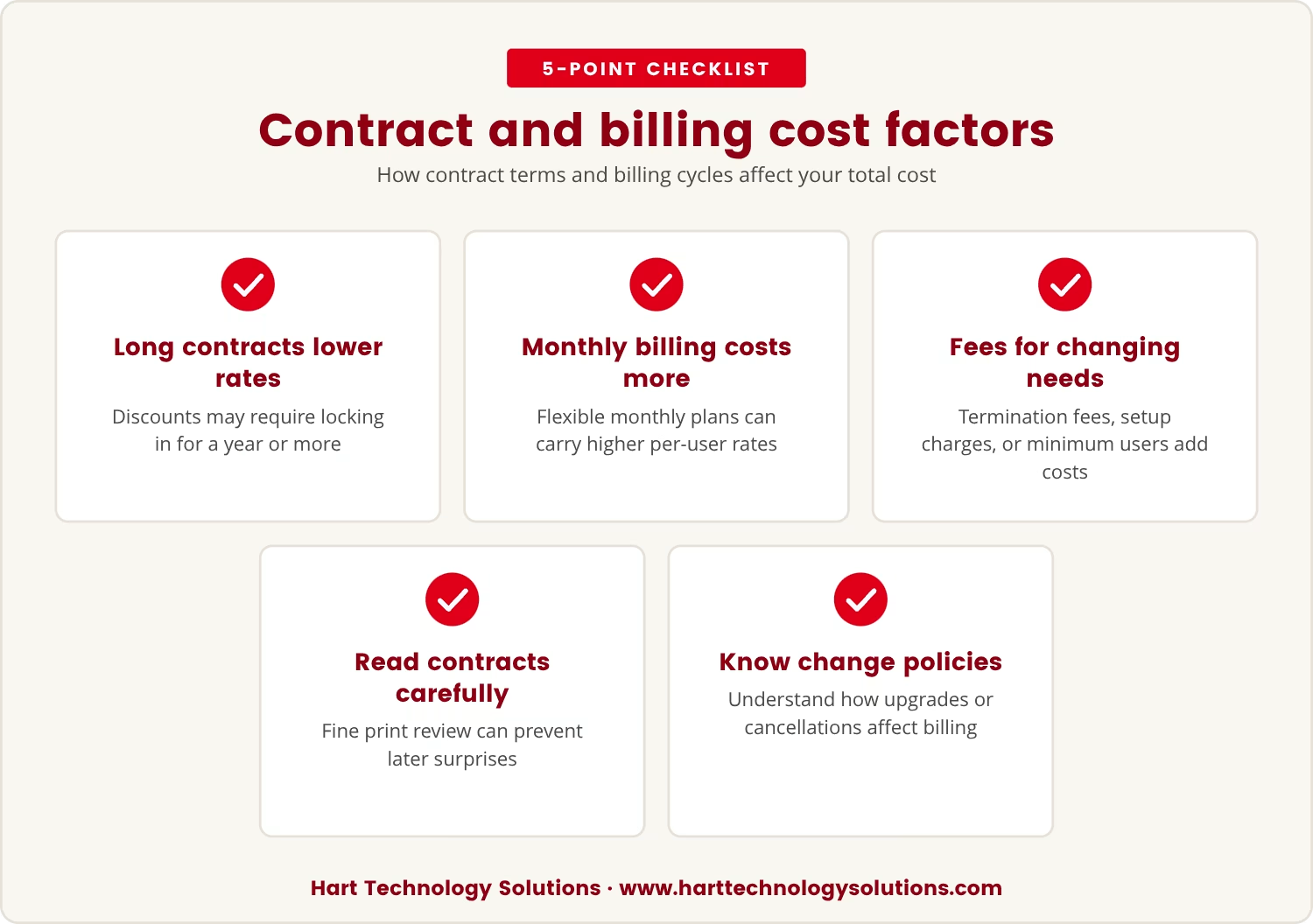
The way your VoIP provider structures contracts and billing can also impact your overall spending. Some providers offer lower rates if you commit to a longer contract, but these deals may lock you in for a year or more.
Monthly billing might seem flexible, but it can come with higher per-user rates. Early termination fees, setup charges, or minimum user requirements can also add to your costs if your business needs change.
Reading the fine print before you sign can help you avoid surprises later. Make sure you know how upgrades, downgrades, or cancellations will affect your bill.
Choosing a VoIP phone system for small business in Arizona means thinking about local regulations, taxes, and support. Some fees, like state telecom taxes or 911 service charges, are specific to your location and may not appear in the advertised price.
Local support can be a big advantage if you need help with setup or troubleshooting. However, some providers charge extra for on-site visits or priority support. When comparing options, ask about any Arizona-specific fees or requirements that could affect your bill.
Many VoIP providers set limits on call minutes, text messages, or data usage. If your business goes over these limits, you could face extra charges. These overages can add up quickly, especially if your team makes a lot of outbound calls or uses advanced features.
Some plans offer unlimited calling, but only within certain regions or countries. International calls, premium numbers, or special services may not be covered. Always check the details to avoid unexpected fees.
You can take steps to keep your VoIP phone cost predictable. Start by making a list of the features your business truly needs. Ask providers for a detailed quote that includes all expected fees, not just the per-user rate.
It’s also smart to review your contract for hidden charges or automatic upgrades. If you’re in Arizona, check for local taxes or fees that could affect your bill. Planning ahead helps you avoid budget shocks and keeps your business running smoothly.
The price you see advertised for a VoIP system is rarely the full story. Real monthly costs often include add-ons, usage fees, and local charges that aren’t obvious up front.
Relying on the sticker price alone can put your business at risk of surprise bills and strained cash flow. Taking the time to understand the full cost structure helps you make better decisions and build trust with your provider.

If your business has 15 to 50 users, you know how quickly unexpected charges from a VoIP provider can impact your monthly budget. At Hart Technology Solutions, we understand how important it is to keep your costs predictable and your communication systems reliable.
We invite you to see how we approach VoIP planning—so you can avoid surprise fees and choose a solution that fits your actual needs.
Try our VoIP service risk-free for 90 days, plus get a $1,000 satisfaction guarantee if you qualify as a new business client.
Start your risk-free VoIP trial
Start by listing all the features and services your business needs, such as call recording, voicemail, or integrations. Ask each provider for a full breakdown of costs, including equipment, setup, support, and any local taxes. This helps you compare real prices, not just the advertised rates.
Check for contract length, early termination fees, and minimum user requirements. Make sure you understand how upgrades, downgrades, or cancellations affect your bill. Read the fine print to spot any hidden charges or automatic renewals.
Some providers offer free VoIP plans, but these usually come with limited features and may not support business needs like call analytics or integrations. Free plans can be a good way to test the service, but most growing businesses will need a paid plan for full functionality.
A virtual phone system uses the internet to handle calls, while a traditional phone system relies on physical phone lines. Virtual systems offer more flexibility, remote access, and advanced features, but require a reliable internet connection to work well.
Features like call analytics help you track call volume and performance, while CRM integration connects your phone system to customer records. Consider which tools will actually help your business operate more efficiently before paying extra for advanced options.

Trey Hart is the Owner of Hart Technology Solutions, bringing together deep IT expertise and strong business leadership. With a degree in Information Systems from Georgia Southern University and an MBA from the University of Arizona, Trey blends technical insight with strategic vision.