Owner
What we keep hearing from businesses is that many teams assume their current systems are enough to stop ransomware, but that’s rarely the case.
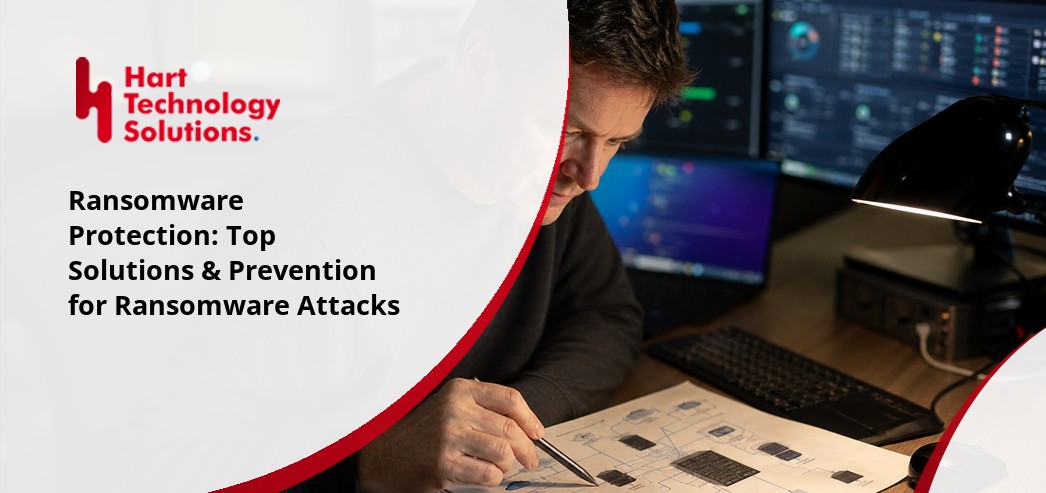
Ransomware protection is more than just installing software; it’s a proactive approach that keeps your business safe from ransomware attacks and the risk of losing access to your data. Industry research shows that ransomware threats are still one of the top cybersecurity concerns for organizations of every size.
The best way to avoid paying the ransom is to prevent ransomware from infecting your systems in the first place. Ransomware protection means using reliable systems, regular backups, and real-time ransomware detection to stop malicious software before it can encrypt your files. If you don’t have a plan, you’re leaving your business open to serious disruption and financial loss.
[.c-button-wrap][.c-button-main]Contact Us[.c-button-main][.c-button-wrap]
Ransomware protection is not just about having anti-ransomware tools on your computers. It’s about building a layered defense that makes it much harder for ransomware to infect your network. Ransomware attacks can happen when someone clicks a malicious link, opens a dangerous email attachment, or when hackers find a vulnerability in your system.
When ransomware infects your business, it can encrypt your files and demand a ransom for their release. This can stop your operations, damage your reputation, and cost you a lot of money. That’s why ransomware protection is essential for any business that relies on its data and wants to avoid downtime.
A strong ransomware protection strategy includes regular backups, up-to-date software, employee training, and reliable ransomware detection tools. By combining these elements, you can reduce your risk and recover quickly if something goes wrong.

Even with the best intentions, many businesses make mistakes that leave them open to ransomware attacks. Here are some of the most common issues we see:
Many teams think that standard antivirus software is enough for ransomware protection. However, most ransomware threats are designed to slip past basic antivirus tools. You need specialized anti-ransomware and ransomware detection solutions to catch these advanced threats.
Outdated software is a major vulnerability. Hackers often use known flaws in old programs to infect systems with ransomware. Keeping your operating systems and applications updated is a simple way to block many attacks.
Simple or reused passwords make it easy for attackers to break into your network. Strong, unique passwords and multi-factor authentication are essential for ransomware prevention.
Without regular backups, you may have no way to recover your data if ransomware encrypts your files. Backups should be frequent, secure, and tested to ensure they work when needed.
Employees are often the first target in a ransomware attack. Training your staff to spot phishing emails and suspicious links helps prevent ransomware from getting in.
Having a backup is important, but you also need to test your ability to restore operations. If you’ve never practiced recovering from a ransomware infection, you may face delays or data loss during a real incident.
A reliable ransomware protection solution should include these features:

When ransomware infects your systems, it can bring your business to a halt. Files are encrypted, and you’re faced with the choice to pay the ransom or risk losing important data. This is why ransomware protection is a key part of any business continuity plan.
Having strong ransomware protection means you can detect ransomware early, stop it from spreading, and restore your operations quickly. It also reduces the chance that you’ll need to pay the ransom, which is never a guarantee you’ll get your data back. By focusing on prevention and quick recovery, you protect your reputation and keep your business running smoothly.
Ransomware attacks are becoming more sophisticated, targeting not just large companies but also smaller businesses. With proper ransomware protection in place, you can avoid costly downtime and keep your data safe from malicious actors.
Building a strong ransomware defense takes more than just one tool. Here are key steps to help you stay protected:
Start by evaluating your existing systems and processes. Identify where you are most vulnerable to ransomware threats, such as outdated software or weak access controls.
Use a combination of anti-ransomware software, firewalls, and real-time monitoring. Layered protection solutions make it harder for ransomware to infect your network.
Protect all devices that connect to your network, including laptops, phones, and servers. Endpoint security helps block ransomware before it can spread.
Ongoing employee education is one of the best defenses against ransomware attacks. Teach your team how to spot suspicious emails and avoid risky behavior online.
Regularly test your backup system and practice restoring data. This ensures you can recover quickly if ransomware infects your files.
Set up alerts for unusual activity, such as sudden file encryption or unauthorized access. Early ransomware detection can stop an attack before it causes major damage.
Ransomware threats evolve, so review your protection strategy at least once a year. Update your tools and processes to stay ahead of new risks.

Putting ransomware protection into action doesn’t have to be complicated. Start by choosing reliable ransomware protection solutions that fit your business needs. Look for tools that offer automated backups, real-time ransomware detection, and easy recovery options.
Next, set up clear policies for software updates, password management, and employee training. Make sure everyone on your team knows what to do if they suspect a ransomware attack. Regularly review your systems for vulnerabilities and fix any issues right away.
Finally, test your backup and recovery process. Practice restoring files from backup so you know you can recover quickly if ransomware infects your network. The more prepared you are, the less likely you’ll face serious disruption from a ransomware attack.
To keep your business safe, follow these best practices:
Staying proactive with these steps helps reduce ransomware risk and keeps your data protected.

Are you a business with 15 or more employees looking for reliable ransomware protection? If you’re growing and want to avoid costly downtime or data loss, it’s time to take ransomware attacks seriously.
We help businesses like yours build strong ransomware protection strategies, from ransomware detection to backup and recovery. Our team can guide you through every step, making sure you have the right tools and processes in place. Contact us today to get started.
[.c-button-wrap][.c-button-main]Contact Us[.c-button-main][.c-button-wrap]
Ransomware is a type of malware that infects your systems by encrypting files and demanding a ransom for their release. It often spreads through malicious email attachments or links, making it easy for attackers to target businesses that aren’t prepared.
Once ransomware infects your network, it can quickly lock you out of important data. Protect against ransomware by using proactive cybersecurity measures and keeping your software up to date.
Ransomware protection solutions use real-time monitoring and advanced detection to stop ransomware attacks before they can do damage. These tools scan for suspicious activity and block threats as soon as they appear.
By combining anti-ransomware software with regular backups and employee training, you create multiple layers of defense. This makes it much harder for ransomware to infect your systems or force you to pay the ransom.
Paying the ransom is risky and doesn’t guarantee you’ll get your files back. Many experts warn that paying can encourage more ransomware attacks and may even lead to further demands.
Instead, focus on ransomware prevention by keeping backups and using strong protection solutions. This way, you can restore your data without needing to pay the ransom.
The best practices for ransomware defense include updating all software, using strong passwords, and training employees to spot phishing attempts. Regular vulnerability scans and endpoint protection are also important.
Testing your backup and recovery process ensures you can restore operations quickly if ransomware infects your network. Staying proactive is key to minimizing ransomware risk.
Early ransomware detection relies on monitoring your systems for unusual activity, such as sudden file encryption or unauthorized access. Real-time alerts help you respond quickly to potential threats.
Using a combination of anti-ransomware tools and regular system checks can help you spot ransomware infection before it spreads. Quick action is essential to limit damage.
A strong ransomware prevention plan should include regular backups, employee training, and up-to-date anti-ransomware software. Make sure your plan covers all endpoints and includes steps for quick recovery.
Review your plan at least once a year to address new ransomware threats and vulnerabilities. Keeping your strategy current helps offer ransomware protection and keeps your business safe.
.jpg)
Trey Hart is the Owner of Hart Technology Solutions, bringing together deep IT expertise and strong business leadership. With a degree in Information Systems from Georgia Southern University and an MBA from the University of Arizona, Trey blends technical insight with strategic vision.