Owner
Building an effective IT project plan is critical for any business aiming to deliver successful technology projects on time and within budget. In this blog, you’ll learn what makes a strong project plan, how templates can help, and which project management steps matter most. We’ll also cover the role of the project manager, how to keep stakeholders informed, and ways to avoid common issues like scope creep and missed deadlines.
An IT project plan is a detailed outline that guides your team from the start of a project to its finish. It covers the project’s objectives, deliverables, timeline, and the steps needed to reach each milestone. A well-made plan helps everyone understand their roles and keeps the project on track.
When you use a project plan template, you save time and reduce errors. Templates make it easier to organize tasks, assign responsibilities, and spot potential risks early. This is especially important when managing multiple phases or when you need to coordinate with different departments. A good plan also helps you keep stakeholders updated and ensures that the project manager can quickly respond to changes.
Even experienced teams can run into trouble if they skip key steps. Here are some of the most common mistakes to watch out for and how to avoid them.
Jumping straight into work without a clear outline can lead to confusion and missed objectives. Always start by defining the project’s scope and goals before assigning tasks.
Templates help standardize your process and make sure nothing important is missed. Without one, you risk forgetting key activities or deadlines.
Stakeholders often have insights that can improve your plan. Failing to include them early can result in missed requirements or last-minute changes.
Some tasks can’t start until others are finished. Not mapping out these dependencies can cause delays and confusion for your project team.
Milestones help you track progress and keep everyone motivated. Without them, it’s hard to know if your project is on schedule.
Ignoring risks can lead to bigger problems later. Always include a risk management plan to identify and address potential issues early.
If you don’t monitor progress, you can’t spot problems or make improvements. Use management software to keep an eye on key metrics.
A solid IT project plan should include these key features:
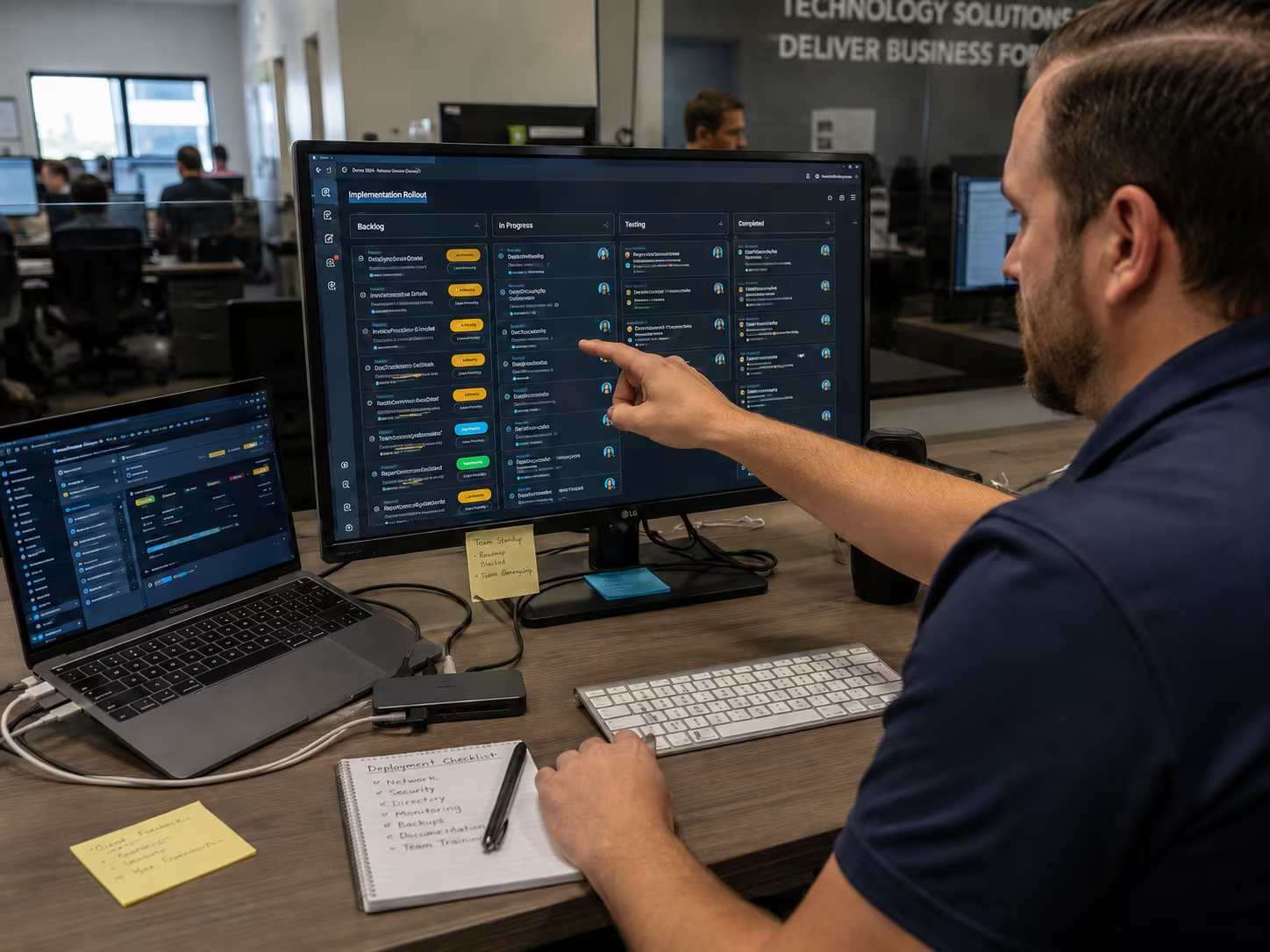
Templates are more than just a starting point—they help you create a project plan that’s both thorough and manageable. By using a project plan template, you can quickly outline the workflow, assign tasks, and set deadlines. This makes it easier to keep your project team members on the same page and avoid confusion.
A template also helps you track progress and spot issues before they become major problems. For example, if a deliverable is running late, you can adjust the timeline or reassign tasks to meet the deadline. Templates also make it easier to update stakeholders and show them a clear plan, example of how the project is moving forward.
A successful IT project plan doesn’t just happen—it’s built step by step. Here’s how to create a plan that sets your team up for success.
Start by outlining what the project will and won’t include. This helps avoid scope creep and keeps everyone focused on the main objectives.
Use a work breakdown structure (WBS) to divide the project into smaller, manageable tasks. This makes it easier to assign responsibilities and track progress.
Each team member should know exactly what they’re responsible for. Assign tasks based on skills and availability to keep the workflow smooth.
Map out when each task should start and finish. Include key milestones to help track progress and keep the project on schedule.
Some tasks depend on others being completed first. Make sure these dependencies are clear so there are no surprises during the project lifecycle.
List potential risks and how you’ll handle them. A good risk management plan can save time and money if problems come up.
Keep stakeholders updated with regular reports. This helps build trust and ensures everyone is aligned with the project’s goals.

Change is a normal part of any IT project. Having a change management process in place helps you handle updates without losing control of the project. This might mean adjusting the timeline, reassigning tasks, or updating the management plan to reflect new goals.
Tracking project performance is just as important. Use project management software to monitor key metrics like budget, deadlines, and deliverables. This helps you spot issues early and make adjustments before they affect the final outcome. Regular check-ins with your project team can also improve communication and keep everyone focused on the main objectives.
Following these best practices can help your IT project plan deliver better results:
By sticking to these tips, you’ll make your IT project plan more effective and reduce the risk of missed deadlines or budget overruns.

Are you a business with 15 or more employees looking for a reliable IT project plan? If your company is growing and you need help managing complex technology projects, our team is here to support you every step of the way.
We understand the challenges of IT project services and can help you build a plan that fits your needs. Hart Technology Solutions offers expert guidance, proven templates, and hands-on support to make sure your next project is a success. Contact us today to get started.
The best way to start is by defining the project scope and objectives clearly. Begin with an outline that includes the main deliverables and the expected timeline. This helps your project manager and team members understand what needs to be done and by when.
Next, use a template to organize tasks and assign responsibilities. This makes the planning process more manageable and ensures you don’t miss key milestones or dependencies.
Project management software streamlines the workflow by allowing you to track deadlines, assign tasks, and monitor project activities in real time. It also helps you manage resources and keep your project team members updated.
Using software can also reduce errors and make it easier to update stakeholders. Many tools include features for risk management and change management, which are essential for keeping projects on track.
Stakeholder communication ensures everyone involved understands the project’s goals, timeline, and deliverables. This reduces confusion and helps avoid last-minute changes that can derail the project.
Regular updates keep stakeholders engaged and allow them to provide feedback. This is especially important when you need to adjust the plan or address new risks.
Key milestones are major points in the project where important tasks or deliverables are completed. They help you track progress and keep the project on schedule.
Setting clear milestones also makes it easier to spot delays and adjust the timeline if needed. Each milestone should be tied to a specific objective or phase of the project.
Scope creep happens when new tasks or features are added without proper review. To avoid this, use a change management process and get approval from stakeholders before making changes.
A strong management plan and regular check-ins help you stick to the original outline. This keeps the project manageable and reduces the risk of missed deadlines.
A work breakdown structure (WBS) breaks the project into smaller, more manageable tasks. This makes it easier to assign work, track progress, and spot dependencies.
Using a WBS helps your project team stay organized and ensures that nothing is overlooked. It’s a key part of any effective IT project plan.
.jpg)
Trey Hart is the Owner of Hart Technology Solutions, bringing together deep IT expertise and strong business leadership. With a degree in Information Systems from Georgia Southern University and an MBA from the University of Arizona, Trey blends technical insight with strategic vision.