Owner

Running Windows Server 2012 after end of support doesn’t just create a single risk—it causes security vulnerabilities to pile up, month after month. The longer you delay, the more difficult and costly it becomes to fix the growing list of issues.
It's widely assumed that Windows Server 2012 end of life is a line on a calendar—cross it, and the real work of dealing with consequences can start later.
In practice, the deadline itself changes nothing; what changes is that every patch skipped afterward stops being a missed update and becomes a permanent entry on a growing list of risks.
Once Microsoft stops providing security updates, vulnerabilities in Windows Server 2012 don't get fixed later—they become permanent gaps in your defenses. New threats appear every month, yet the system's protection stays frozen at whatever state it was in on the last day of support.
That mismatch is what makes this more than a one-time risk. The longer unsupported servers stay in place, the more complex and expensive the eventual fix becomes, and a project that could have been handled calmly turns into a compounding security liability.

Reaching end of support doesn't just mean a server stops getting updates. It means the server starts accumulating vulnerabilities that will never be fixed, and each missed patch becomes a fresh opportunity for an attacker.
These gaps don't stay isolated for long. A single unpatched issue tends to multiply, so the longer a system runs without updates, the more ways there are for someone to break in.
That buildup is easy to miss at first, since nothing visibly changes day to day. But as months pass, the list of known weaknesses keeps growing, and fixing them later means confronting a far larger, more tangled problem than acting early would have required.
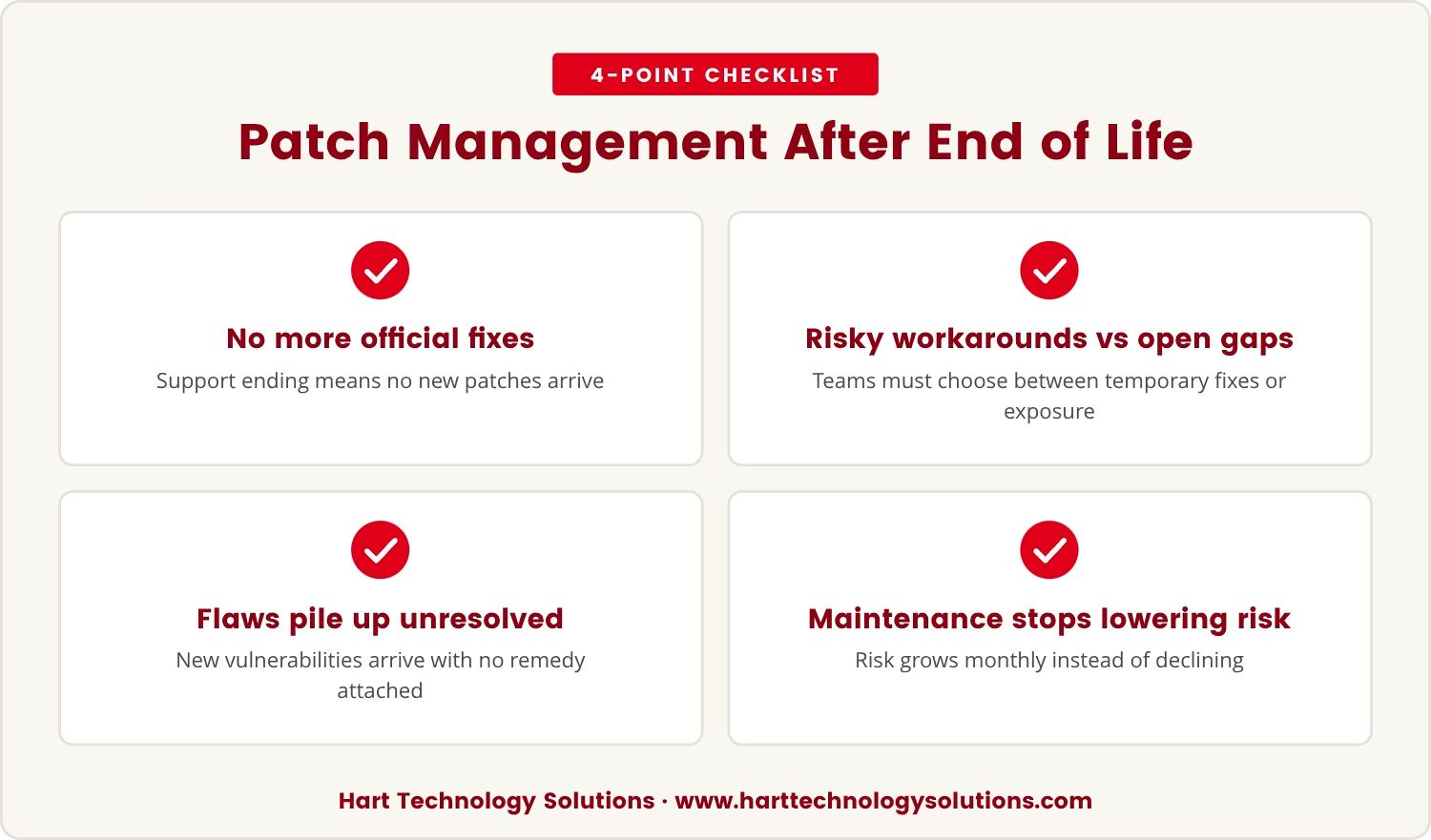
Patch management used to be routine: apply the update, close the hole, move on. After Windows Server 2012 end of life, that cycle simply stops functioning, because there's no more official fix in the pipeline.
Without patches, IT teams are left choosing between risky workarounds and leaving vulnerabilities open. Each newly discovered flaw arrives with no official remedy attached, so what accumulates instead is a patchwork of temporary measures that never touch the root problem.
The practical result is that familiar patch management tools and processes stop reducing risk the way they once did. Risk no longer declines with routine maintenance—it grows with every month that passes.
That growth isn't incidental; it's the direct consequence of delay. Every day spent running Windows Server 2012 past its support date adds to the exposure, and attackers specifically target unsupported systems because they know those weaknesses will stay open indefinitely.
As new vulnerabilities surface, they join a list of problems that simply can't be patched, and that list gets longer and more tangled with time. Eventually the cost and effort of addressing it all at once becomes overwhelming.
For businesses in Arizona, where compliance and data protection carry particular weight, that growing exposure carries real regulatory consequences—requirements don't pause just because a server has fallen out of date.

Upgrading a server was never just a matter of installing new software, and delay makes the surrounding environment more tangled with every passing month. Here's why remediation gets harder over time:
Each month adds new security flaws that go unpatched. Over time, that accumulates into a backlog that's far harder to resolve all at once.
Applications built for Windows Server 2012 may not run on newer platforms, and as vendors update their own products, the old server grows less compatible with the tools around it.
The more changes accumulate on an unsupported server, the harder it becomes to move everything safely into a new environment.
More vulnerabilities and compatibility problems together raise the odds of an unexpected outage, and fixing everything at once can stretch migration downtime out considerably.
Tackling a long list of issues in a single project costs more than handling them as they arise, often requiring extra resources or outside help just to catch up.
Fewer IT professionals stay familiar with older systems as time passes, which makes finding help for Windows Server 2012 and 2012 R2 both harder and costlier.
Some businesses treat end of support as a single deadline to clear and move past. But with Windows Server 2012, the risk doesn't stop on that date—it grows every month the upgrade is put off.
Each missed update adds a vulnerability that never gets resolved, and these risks build on one another, leaving the environment more fragile and harder to secure with each passing cycle.
That compounding is exactly why waiting even a few extra months can turn a straightforward upgrade into a major recovery effort: the longer the delay, the more there is to fix, and the higher the eventual cost climbs.
Given that compounding risk, the question becomes which path forward fits best. Several options exist for businesses still running Windows Server 2012, each with its own tradeoffs.
Which option fits best depends on business needs, budget, and long-term goals. If the right path isn't obvious, it helps to ask how much risk feels acceptable as more time passes.
Among those options, moving from on-premises servers to the cloud is often the biggest decision of the group. It brings real benefits—automatic updates, easier scaling—but it also demands careful planning before the switch happens.
Data security, compliance, and how existing applications will behave in a new environment all need consideration, and some workloads may require reconfiguration or outright replacement.
A successful migration starts with a clear inventory of current systems: what can move as-is, what needs updating first, and what should simply be retired. Working through that inventory up front is what keeps the transition free of surprises.
All of this points to the same conclusion: the longer Windows Server 2012 runs past its end of life, the more likely a planned upgrade turns into an unplanned crisis. Eventually, an unpatched vulnerability or a failed system forces the issue regardless of readiness.
At that point, upgrades or migrations happen under pressure rather than on a schedule, and rushed work raises the odds of mistakes, data loss, or extended downtime. Acting early keeps control of the process in your hands and keeps costly surprises off the table.

Many businesses with 15 to 100 users find themselves stuck with aging servers, unsure when or how to move forward. At Hart Technology Solutions, we understand how quickly a manageable upgrade can become a major headache if left too long.
We invite you to see how our team approaches server upgrades and migrations—so you can make decisions before small issues turn into big problems.
Try our 90-day risk-free trial with a $1,000 satisfaction guarantee—designed for businesses ready to tackle server upgrades with confidence.
Continuing to run Windows Server 2012 past its end-of-support date means no further security updates or technical support from Microsoft. The server stays exposed to new vulnerabilities indefinitely, raising the risk of cyberattacks or data breaches.
Microsoft offers Extended Security Updates (ESU) for Windows Server 2012 and 2012 R2, but strictly as a temporary measure. ESU delivers critical patches for a limited window, meant to cover the time needed to complete a migration or upgrade.
Reviewing applications and integrations for compatibility with the latest Windows Server versions should happen before any upgrade. Older software may need updates or outright replacement to run properly on a new platform.
Delay increases exposure to security vulnerabilities, compliance issues, and unexpected downtime. The remediation process grows more complex and more costly the longer it's put off.
Cloud migration can work well for small businesses, cutting maintenance burden and improving scalability. Even so, assessing specific needs and planning the move carefully remains essential to avoiding disruption.

Trey Hart is the Owner of Hart Technology Solutions, bringing together deep IT expertise and strong business leadership. With a degree in Information Systems from Georgia Southern University and an MBA from the University of Arizona, Trey blends technical insight with strategic vision.